Git & GitHub Team Workflows in 2026: How to Stop Merge Conflicts and Ship Clean Code
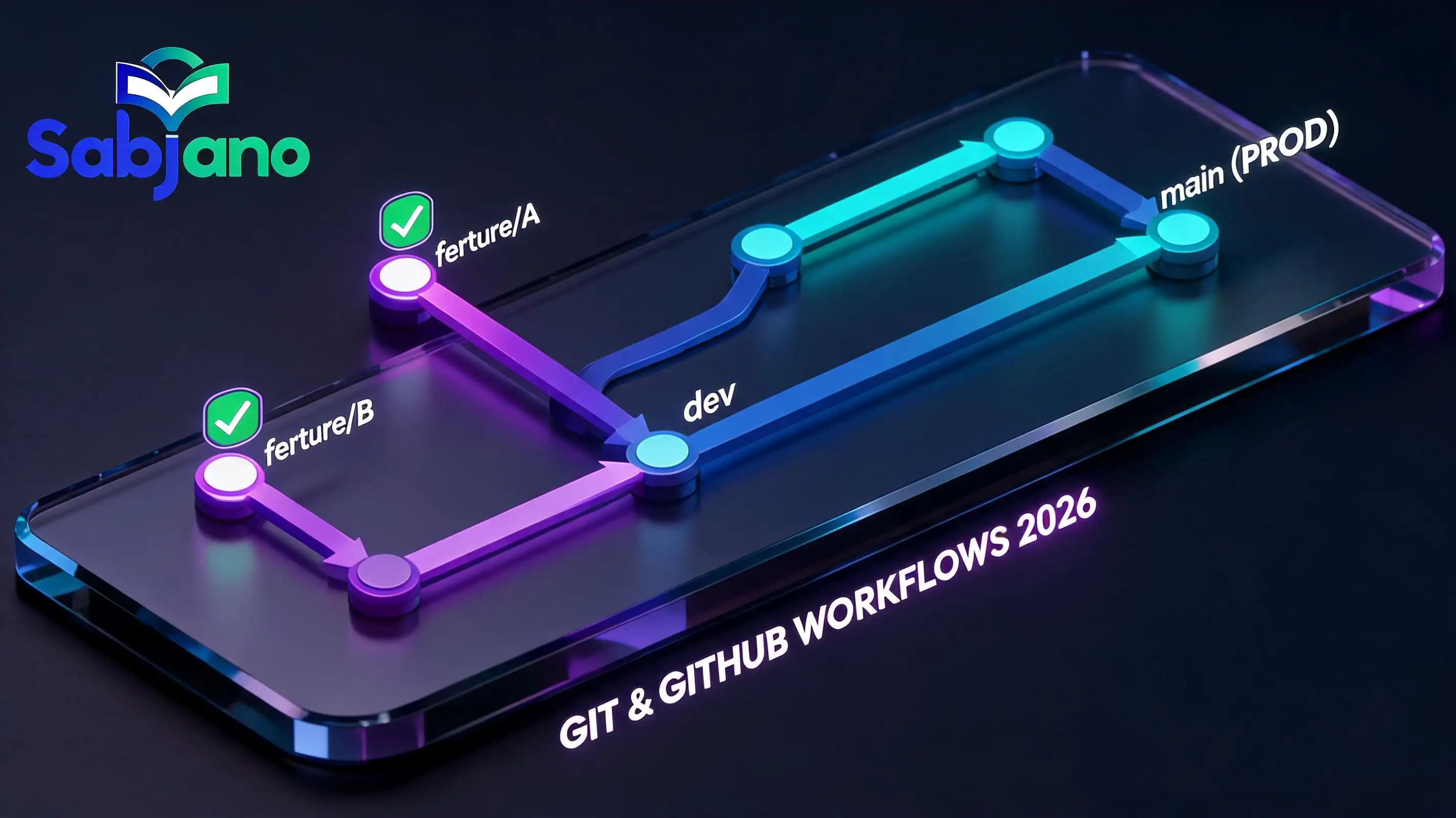
It is 5:45 PM on a Friday evening. Two developers on the same team finish their features around the same time, hit "Merge Pull Request" on GitHub within three minutes of each other, and suddenly the staging server crashes with dozens of <<<<<<< HEAD conflict markers scattered across core configuration files. Now nobody is logging off on time—everyone is stuck on a stressful video call trying to figure out whose code got overwritten.
Almost every software engineer has lived through some version of that Git nightmare. Beginners often treat Git like a basic "save button" (git add ., git commit -m "fix", git push), which works fine when you are coding solo on a weekend project. The moment three or four developers start touching the same repository simultaneously, sloppy Git habits turn into daily bottlenecks.
You don't need to memorize fifty obscure terminal flags to keep a repository clean. Adopting a handful of disciplined branching rules, pull request habits, and recovery commands will save your team hours of frustration every week. Here is a practical guide to running smooth Git and GitHub workflows in 2026.
1. Pick a Branching Strategy That Matches Your Team Size
Over-engineering your Git branching model is just as painful as having no rules at all. Choose a workflow that fits how fast your team ships:
Trunk-Based Development (Best for Agile Startups & Small Teams)
Instead of maintaining five long-lived branches (dev, qa, staging, release-v2), everyone works off a single protected main branch:
- Developers create short-lived feature branches (e.g.,
feat/user-auth-otporfix/cart-tax-calculation) that live for 1 to 3 days maximum. - Once automated tests pass and a peer reviews the Pull Request (PR), the branch merges straight back into
main. - Why it works: Short-lived branches never drift far from
main, which eliminates 90% of massive merge conflicts before they happen.
GitHub Flow With Staging Environment
If your business requires a dedicated QA testing environment before customer release, keep main strictly reserved for live production code and use a single staging branch for integration testing. Feature branches merge into staging first, and once QA signs off, staging merges cleanly into main.
2. Git Merge vs. Git Rebase: When to Use Which
Few topics spark more confusion among junior developers than choosing between git merge and git rebase. Both integrate changes from one branch into another, but they treat your project history very differently.
How git merge Works
git merge preserves the exact chronological history of both branches and creates a new "merge commit" tying them together. It is completely non-destructive and safe on shared public branches.
How git rebase Works
git rebase takes your local feature commits and replays them one by one on top of the latest main branch, creating a clean, linear commit history with zero noisy merge commits.
| Parameter | git merge | git rebase |
|---|---|---|
| Commit History | Preserves exact branch timeline + merge commits | Clean, straight linear history |
| Safety on Shared Branches | 100% Safe (Never rewrites history) | Dangerous on shared branches (Rewrites commit hashes) |
| Conflict Resolution | Resolves all conflicts in one single step | Resolves conflicts commit-by-commit |
| Best Practical Use | Merging completed PRs into main | Updating your local feature branch with latest main |
The Golden Rule of Rebasing: Never rebase a public branch (main or staging) that other teammates have already pulled onto their computers. Use git rebase main strictly to keep your own local feature branch up to date before opening a Pull Request.
3. Write Atomic Commits With Meaningful Messages
A commit history filled with messages like "wip", "fixed typo", "updated file again", and "final fix 2" is useless when you need to track down which change introduced a production bug three months later.
Adopt the Conventional Commits format so every commit tells a clear story at a glance:
feat: add Razorpay webhook signature verificationfix: prevent null pointer crash on empty cart checkoutperf: add composite index on orders user_id and statusrefactor: extract tax calculation helper into standalone moduledocs: update local Docker setup instructions in README
Keep each commit atomic—meaning one commit represents one logical change. If you fix a login bug and also reformat twenty CSS files, save them as two separate commits so you can revert the bug fix cleanly if needed without undoing your styling updates.
4. Keep Pull Requests Small and Reviewable
Asking a teammate to review a 2,400-line Pull Request touching forty-five files guarantees a superficial review. Nobody has the mental bandwidth to catch subtle logic bugs in a massive diff—they will skim the first three files, leave a "LGTM (Looks Good To Me)" comment, and approve it blindly.
Practical PR Habits That Speed Up Shipping:
- Cap PR Size Around 200–400 Lines: Break large features into smaller, incremental milestones behind feature flags. Small PRs get reviewed within hours instead of sitting untouched for days.
- Fill Out a Clear PR Summary: Explain what changed, why this approach was chosen, and include a quick screenshot or screen recording for any UI changes.
- Review Your Own Diff First: Before requesting a peer review, open the "Files Changed" tab on GitHub yourself. You will immediately spot leftover
console.log()statements, commented-out code blocks, or accidental.envedits.
5. Emergency Recovery Commands Every Developer Needs
When something goes wrong in your local terminal, don't panic and delete your entire project folder to re-clone it from scratch. Keep these four rescue commands in your back pocket:
- Undo the Last Commit Without Losing Your Code Changes:
git reset --soft HEAD~1 (Moves your changes back to the staging area so you can fix the commit message or add a forgotten file).
- Temporarily Shelve Unfinished Work to Switch Branches:
git stash push -m "half-done payment form" and restore it later with git stash pop.
- Safely Undo a Bad Commit Already Pushed to
main:
`git revert
- Recover Accidentally Deleted Commits or Lost Branches:
git reflog (Git's secret flight recorder—lists every recent pointer movement for the past 30 days so you can check out any lost commit hash instantly).
Upgrading Your Team's Git Routine Today
Clean version control isn't about showing off complex terminal tricks—it is about making collaboration calm, predictable, and reversible. Protect your main branch so nobody can push directly without a review, keep feature branches short-lived, write descriptive Conventional Commits, and keep Pull Requests small enough to read over a cup of coffee. Your future teammates (and your Friday evenings) will thank you.
Comments (0)
No comments yet. Share your thoughts below!